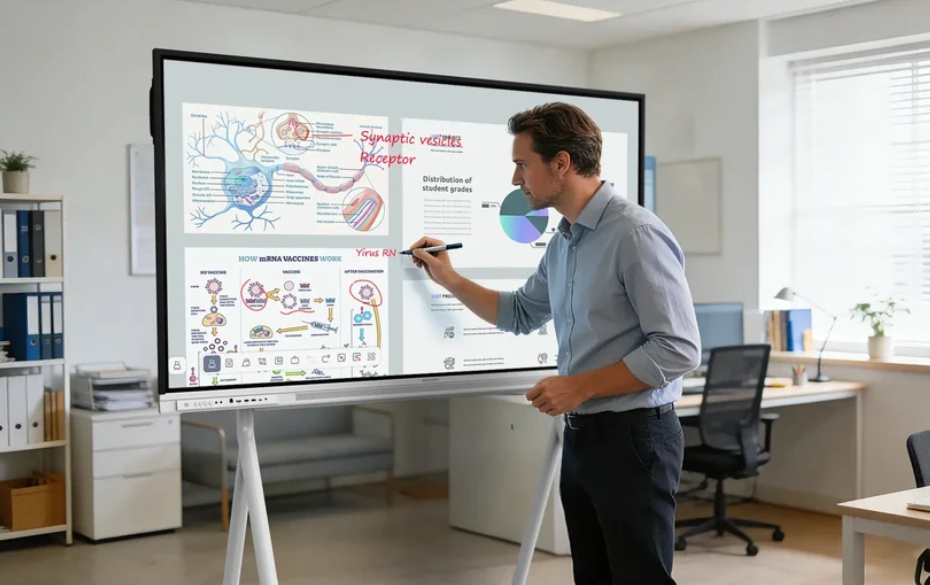
Modern K-12 classrooms need teaching tools that encourage student participation and make lessons easier to follow. Traditional boards and basic display equipment can present information, but they may limit interaction between teachers and students. Smart boards combine writing, display, and collaboration functions, helping teachers create more engaging learning activities.
Nework provides smart display and collaboration solutions for K-12 schools and other educational organizations. With more than 20 years of audiovisual industry experience, Nework smart board products support interactive teaching through touch control, wireless sharing, and digital collaboration features. Schools can contact their team to discuss suitable classroom solutions based on teaching needs, installation conditions, and long-term maintenance plans.
Why Classroom Interaction Matters in Modern Education
Student attention is influenced by how learning materials are presented. A lesson that only depends on verbal explanation and static content may make it harder for some students to participate actively. Interactive tools allow teachers to combine different teaching methods and create more opportunities for classroom communication.
Smart boards help teachers move beyond simple information display. They can write directly on digital content, highlight important points, and adjust explanations during lessons. This allows teachers to respond to student questions more naturally during classroom activities.
Interactive learning does not mean adding more technology without purpose. Schools need tools that support teaching goals and are simple for teachers to use. The right classroom equipment should help improve communication rather than create extra operation steps.
How Smart Boards Create More Engaging Lessons
One important benefit of smart boards is the ability to support direct interaction. Teachers can display images, documents, videos, and educational materials while adding notes during explanations. Students can better connect visual information with classroom discussions.
Multi-user writing and annotation functions allow several participants to contribute ideas. For example, students can work on problem-solving activities, write answers, or share opinions during group exercises. This creates more chances for participation compared with traditional teaching methods.
The NewBoard E series for education is designed around interactive classroom requirements. It combines touch interaction, digital writing, and collaboration functions to help teachers manage different learning activities in one place.
Making Teaching Activities Easier for Teachers
Teachers often need to prepare different types of materials before class. Switching between textbooks, digital files, and separate devices can interrupt lesson flow. A smart board provides a central platform where teachers can present and organize learning content.
The writing experience is also important for daily classroom use. Smooth touch response allows teachers to write naturally on the screen. Features such as handwriting recognition can help convert notes into digital text, making lesson records easier to organize and review.
The NewBoard E series for education supports classroom interaction through functions such as touch writing, content sharing, and digital annotation. These features can help teachers create lessons with more flexibility while keeping operation simple.
Supporting Digital Content Sharing and Classroom Management
Modern classrooms often use multiple digital resources. Teachers may need to share information from laptops, online platforms, or other devices during lessons. Wireless screen casting can reduce connection steps and make content sharing more convenient.
Smart boards can also help teachers save and distribute classroom information. Notes, drawings, and important explanations can be captured digitally instead of being erased after class. This gives students another way to review learning materials.
QR sharing is another practical function for classroom environments. Teachers can share saved notes or learning content quickly, allowing students to access information after lessons. This can support review activities and continued learning.
What Schools Should Consider Before Installing Smart Boards
Choosing classroom technology requires more than checking product functions. Schools should consider classroom size, teaching methods, teacher training needs, and maintenance requirements before making purchasing decisions.
Ease of use is an important factor because teachers with different levels of technical experience may operate the equipment daily. A system with clear functions and simple controls can reduce training pressure and improve classroom adoption.
Schools should also evaluate after-sales support and long-term service options. Reliable technical assistance can help solve operation problems and maintain stable classroom use after installation.
How Smart Boards Help Build Future-Ready Classrooms
Interactive teaching requires a balance between educational goals and technology use. Smart boards provide teachers with more ways to explain concepts, involve students, and organize classroom activities. They are not only display devices but also tools for communication and participation.
More than 25,000 professional teams use Nework smart whiteboards, reflecting the application of interactive display technology in different professional environments. Their solutions include features such as real-time writing, annotation, sharing, and digital content management.
For K-12 schools planning classroom upgrades, Nework smart board solutions provide an option for improving teaching interaction and simplifying classroom technology management. By evaluating learning requirements, installation conditions, and service support, schools can select equipment that fits their educational goals.
